PicassoBundle showcase
A live demo of the silarhi/picasso-bundle Symfony package — the image component that was missing from the Symfony ecosystem. Why and how it was built: the introduction on the SILARHI blog (in French).
Every image below is rendered through the same Twig component: <twig:Picasso:Image>.
The bundle takes care of generating a full <picture> element with AVIF and WebP sources,
a JPEG fallback, responsive srcset, auto-detected dimensions and a blur placeholder inlined
as a CSS background-image. Switch any example to Code to see the Twig behind it.
The transformer used in this project is Glide running locally with the GD driver,
and signed URLs to prevent abuse. Transformed image variants are cached under
var/storage/picasso-cache/.
Responsive grid with sizes
Three images laid out in a Bootstrap grid. The sizes attribute is forwarded to the component,
and the srcset is generated automatically from the breakpoints configured in
picasso.yaml.

Responsive grid
One line of Twig, and you get a <picture> element
with every format and every size variant.
<twig:Picasso:Image
    src="{{ asset('build/images/destiny-wiens-1332880-unsplash.jpg') }}"
    width="600"
    height="400"
    sizes="(max-width: 768px) 100vw, 33vw"
    fit="cover"
    alt="A beautiful kitten"
    class="d-block w-100"
/>
Responsive grid
One line of Twig, and you get a <picture> element
with every format and every size variant.
<twig:Picasso:Image
    src="{{ asset('build/images/diana-parkhouse-1166627-unsplash.jpg') }}"
    width="600"
    height="400"
    sizes="(max-width: 768px) 100vw, 33vw"
    fit="cover"
    alt="A beautiful kitten"
    class="d-block w-100"
/>
Responsive grid
One line of Twig, and you get a <picture> element
with every format and every size variant.
<twig:Picasso:Image
    src="{{ asset('build/images/elvira-visser-k89j1SUqf5U-unsplash.jpg') }}"
    width="600"
    height="400"
    sizes="(max-width: 768px) 100vw, 33vw"
    fit="cover"
    alt="A beautiful kitten"
    class="d-block w-100"
/>
Different fit modes
The same source file rendered with three different cropping strategies.

<twig:Picasso:Image
    src="{{ asset('build/images/edgar-edgar-712801-unsplash.jpg') }}"
    width="300"
    height="300"
    fit="contain"
    alt="300x300px, contain"
    class="img-fluid d-block mx-auto shadow-sm"
/>
<twig:Picasso:Image
    src="{{ asset('build/images/edgar-edgar-712801-unsplash.jpg') }}"
    width="300"
    height="300"
    fit="cover"
    alt="300x300px, cover"
    class="img-fluid d-block mx-auto shadow-sm"
/>
<twig:Picasso:Image
    src="{{ asset('build/images/edgar-edgar-712801-unsplash.jpg') }}"
    width="300"
    height="300"
    fit="crop"
    alt="300x300px, crop"
    class="img-fluid d-block mx-auto shadow-sm"
/>
Priority image (LCP)
With :priority="true", the image is loaded with loading="eager" and
fetchpriority="high". The blur placeholder is automatically disabled since it would
only slow down the first paint. This is the mode you want for a hero banner.

<twig:Picasso:Image
    src="{{ asset('build/images/jacalyn-beales-669247-unsplash.jpg') }}"
    width="1200"
    height="500"
    sizes="100vw"
    fit="cover"
    :priority="true"
    alt="Hero banner"
    class="d-block w-100"
/>
Automatic dimensions
The width and height attributes tell the browser the shape of the image before
it loads, so the layout does not jump (CLS). The filesystem
loader reads them from the source file (resolve_metadata, cached), so you only pass what
you know. The values below are read from the rendered HTML.

No dimension at all
Rendered width="1800" height="1198":
the source dimensions are used.
<twig:Picasso:Image
    src="{{ asset('build/images/destiny-wiens-1332880-unsplash.jpg') }}"
    sizes="(max-width: 768px) 100vw, 33vw"
    alt="Dimensions detected from the source"
    class="img-fluid shadow-sm"
/>
Width only
Rendered width="400" height="266":
the height follows the source aspect ratio.
<twig:Picasso:Image
    src="{{ asset('build/images/destiny-wiens-1332880-unsplash.jpg') }}"
    width="400"
    sizes="(max-width: 768px) 100vw, 33vw"
    alt="Height computed from the width"
    class="img-fluid shadow-sm"
/>Known source dimensions
Rendered width="400" height="266":
given explicitly, the file is not read.
<twig:Picasso:Image
    src="{{ asset('build/images/destiny-wiens-1332880-unsplash.jpg') }}"
    sourceWidth="1800"
    sourceHeight="1198"
    width="400"
    sizes="(max-width: 768px) 100vw, 33vw"
    alt="Explicit source dimensions"
    class="img-fluid shadow-sm"
/>
Fixed size and pixel density
Without sizes, the image is meant to be shown at a fixed size: the srcset uses
pixel density descriptors instead of widths, so a retina screen gets the 2x variant. Ideal for avatars,
logos and thumbnails.

srcset:
1x,
2x
<twig:Picasso:Image
    src="{{ asset('build/images/destiny-wiens-1332880-unsplash.jpg') }}"
    width="96"
    height="96"
    fit="cover"
    alt="Avatar 1"
    class="rounded-circle shadow-sm"
/>
srcset:
1x,
2x
<twig:Picasso:Image
    src="{{ asset('build/images/diana-parkhouse-1166627-unsplash.jpg') }}"
    width="96"
    height="96"
    fit="cover"
    alt="Avatar 2"
    class="rounded-circle shadow-sm"
/>
srcset:
1x,
2x
<twig:Picasso:Image
    src="{{ asset('build/images/elvira-visser-k89j1SUqf5U-unsplash.jpg') }}"
    width="96"
    height="96"
    fit="cover"
    alt="Avatar 3"
    class="rounded-circle shadow-sm"
/>
Placeholders
While the photo loads, a placeholder fills its box: it is inlined as a CSS background-image
on the <img> and removed once the photo is there. Below is what each strategy shows,
for the same 600x400 photo (throttle your network in the dev tools to see them live).
Blurred thumbnail (LQIP)
A 10x7 JPEG blurred by the transformer. The default here, no extra dependency.
<twig:Picasso:Image
    src="{{ asset('build/images/diana-parkhouse-1166627-unsplash.jpg') }}"
    width="600"
    height="400"
    fit="cover"
    placeholder="blur"
/>BlurHash
A smooth gradient decoded from a BlurHash, inlined as a PNG data URI. 402 bytes inline.
<twig:Picasso:Image
    src="{{ asset('build/images/diana-parkhouse-1166627-unsplash.jpg') }}"
    width="600"
    height="400"
    fit="cover"
    placeholder="blurhash"
/>Your own data URI
Any data URI you already have, e.g. a dominant color stored with the image. 140 bytes inline.
<twig:Picasso:Image
    src="{{ asset('build/images/diana-parkhouse-1166627-unsplash.jpg') }}"
    width="600"
    height="400"
    fit="cover"
    placeholderData="data:image/svg+xml,…"
/>No placeholder
Nothing until the photo loads: the box only reserves its space.
<twig:Picasso:Image
    src="{{ asset('build/images/diana-parkhouse-1166627-unsplash.jpg') }}"
    width="600"
    height="400"
    fit="cover"
    :placeholder="false"
/>
Show the configuration
# config/packages/picasso.yaml
picasso:
    placeholders:
        blur:
            type: transformer
            size: 10
            blur: 5
            quality: 30
        blurhash:
            type: blurhash
            driver: gd
    default_placeholder: blur
Twig functions
The component is not the only way in. picasso_image() renders the same
<picture> for projects without symfony/ux-twig-component, and
picasso_image_url() returns a single transformed URL, for anything that is not an
<img>: a CSS background, an Open Graph image, an email.
picasso_image()
The same <picture>, without the Twig component.
{{ picasso_image(
    src: asset('build/images/elvira-visser-k89j1SUqf5U-unsplash.jpg'),
    width: 600,
    height: 400,
    sizes: '(max-width: 768px) 100vw, 50vw',
    fit: 'cover',
    attributes: {alt: 'Rendered by picasso_image()', class: 'd-block w-100'},
) }}picasso_image_url()
One transformed URL, here as a CSS background. This page's og:image comes from it too:
a 1200x630 JPEG, the size social networks expect.
<div style="background-image: url('{{ picasso_image_url(
    asset('build/images/elvira-visser-k89j1SUqf5U-unsplash.jpg'),
    width: 1200, height: 800, format: 'webp', quality: 80, fit: 'cover'
) }}')">

<meta property="og:image" content="{{ absolute_url(picasso_image_url(
    asset('build/images/jacalyn-beales-669247-unsplash.jpg'),
    width: 1200, height: 630, format: 'jpg', fit: 'cover'
)) }}">
JSON API for headless frontends
When a React, Vue or mobile app renders the image itself, ImageHelperInterface::imageData()
returns everything the component would: format sources, srcsets, placeholder and dimensions.
The object is JsonSerializable, so a controller returns it as is:
/picasso/api/image.json.
#[Route(path: '/picasso/api/image.json', name: 'picasso_api_image')]
public function apiImage(ImageHelperInterface $imageHelper, Packages $packages): JsonResponse
{
    return new JsonResponse($imageHelper->imageData(
        src: $packages->getUrl('build/images/elvira-visser-k89j1SUqf5U-unsplash.jpg'),
        width: 1200,
        height: 800,
        sizes: '100vw',
        fit: 'cover',
    ));
}{
"fallbackSrc": "/image/glide/filesystem/build/images/elvira-visser-k89j1SUqf5U-unsplash.cea68108.jpg?w=1200&h=800&fm=jpg&q=75&fit=cover&s=32cd573e8324dcd5ab62e163bfe49092",
"fallbackSrcset": "/image/glide/filesystem/build/images/elvira-visser-k89j1SUqf5U-unsplash.cea68108.jpg?w=16&h=11&fm=jpg&q=75&fit=cover&s=38be9101d2fd3fae8b11e8f04db8f6e2 16w, /image/glide/filesystem/build/images/elvira-visser-k89j1SUqf5U-unsplash.cea68108.jpg?w=32&h=21&fm=jpg&q=75&fit=cover&s=ae0f9afa20231cf1263e7f03d77b40e1 32w, /image/glide/filesystem/build/images/elvira-visser-k89j1SUqf5U-unsplash.cea68108.jpg?w=48&h=32&fm=jpg&q=75&fit=cover&s=b71753d448b1caf7d3860414759d7d81 48w, /image/glide/filesystem/build/images/elvira-visser-k89j1SUqf5U-unsplash.cea68108.jpg?w=64&h=43&fm=jpg&q=75&fit=cover&s=0063ffa7c9ac90101c3d9857685a75ae 64w, /image/glide/filesystem/build/images/elvira-visser-k89j1SUqf5U-unsplash.cea68108.jpg?w=96&h=64&fm=jpg&q=75&fit=cover&s=3a6601334d2f182a4354883531b61336 96w, /image/glide/filesystem/build/images/elvira-visser-k89j1SUqf5U-unsplash.cea68108.jpg?w=128&h=85&fm=jpg&q=75&fit=cover&s=bdfcf233be24ae148db82ce0a9c6ff72 128w, /image/glide/filesystem/build/images/elvira-visser-k89j1SUqf5U-unsplash.cea68108.jpg?w=256&h=171&fm=jpg&q=75&fit=cover&s=35fd3f09dc00e41bb63dc5d841106fdb 256w, /image/glide/filesystem/build/images/elvira-visser-k89j1SUqf5U-unsplash.cea68108.jpg?w=384&h=256&fm=jpg&q=75&fit=cover&s=e7f730ee6293c25d1af6520b90058e40 384w, /image/glide/filesystem/build/images/elvira-visser-k89j1SUqf5U-unsplash.cea68108.jpg?w=640&h=427&fm=jpg&q=75&fit=cover&s=0f63ba9f4402ac857cc0f0db1a1bd7b8 640w, /image/glide/filesystem/build/images/elvira-visser-k89j1SUqf5U-unsplash.cea68108.jpg?w=750&h=500&fm=jpg&q=75&fit=cover&s=2c62e0af613726b1db9db1481d6a27e8 750w, /image/glide/filesystem/build/images/elvira-visser-k89j1SUqf5U-unsplash.cea68108.jpg?w=828&h=552&fm=jpg&q=75&fit=cover&s=a068e3dbc0fae03821ee850c6f80c775 828w, /image/glide/filesystem/build/images/elvira-visser-k89j1SUqf5U-unsplash.cea68108.jpg?w=1080&h=720&fm=jpg&q=75&fit=cover&s=726b11be2668c0ffead1a23e5b752d22 1080w, /image/glide/filesystem/build/images/elvira-visser-k89j1SUqf5U-unsplash.cea68108.jpg?w=1200&h=800&fm=jpg&q=75&fit=cover&s=32cd573e8324dcd5ab62e163bfe49092 1200w, /image/glide/filesystem/build/images/elvira-visser-k89j1SUqf5U-unsplash.cea68108.jpg?w=1920&h=1280&fm=jpg&q=75&fit=cover&s=4f9f308eeb5e06bd0db5d5f74042e70b 1920w, /image/glide/filesystem/build/images/elvira-visser-k89j1SUqf5U-unsplash.cea68108.jpg?w=2048&h=1365&fm=jpg&q=75&fit=cover&s=5036db34cd5d96f5340953da72df9a62 2048w, /image/glide/filesystem/build/images/elvira-visser-k89j1SUqf5U-unsplash.cea68108.jpg?w=3840&h=2560&fm=jpg&q=75&fit=cover&s=a19b15e3c39b68968e137fa3c8e55a60 3840w",
"sources": [
{
"type": "image/avif",
"srcset": "/image/glide/filesystem/build/images/elvira-visser-k89j1SUqf5U-unsplash.cea68108.jpg?w=16&h=11&fm=avif&q=75&fit=cover&s=5165c5ed650e2c3173cff23dcf1a9a8b 16w, /image/glide/filesystem/build/images/elvira-visser-k89j1SUqf5U-unsplash.cea68108.jpg?w=32&h=21&fm=avif&q=75&fit=cover&s=b5774935abb3b3772d7e622495a985d4 32w, /image/glide/filesystem/build/images/elvira-visser-k89j1SUqf5U-unsplash.cea68108.jpg?w=48&h=32&fm=avif&q=75&fit=cover&s=4ea249a48c5d6efed62700cebbeb2699 48w, /image/glide/filesystem/build/images/elvira-visser-k89j1SUqf5U-unsplash.cea68108.jpg?w=64&h=43&fm=avif&q=75&fit=cover&s=4b2a82e8e1f28e86bb6ae5c474732b1f 64w, /image/glide/filesystem/build/images/elvira-visser-k89j1SUqf5U-unsplash.cea68108.jpg?w=96&h=64&fm=avif&q=75&fit=cover&s=73db0b9bb479daa96020a8f1e8016e33 96w, /image/glide/filesystem/build/images/elvira-visser-k89j1SUqf5U-unsplash.cea68108.jpg?w=128&h=85&fm=avif&q=75&fit=cover&s=17ec62828362e80af0b6d1bd245062ad 128w, /image/glide/filesystem/build/images/elvira-visser-k89j1SUqf5U-unsplash.cea68108.jpg?w=256&h=171&fm=avif&q=75&fit=cover&s=f3693af35771ccbaac338001183bcb1f 256w, /image/glide/filesystem/build/images/elvira-visser-k89j1SUqf5U-unsplash.cea68108.jpg?w=384&h=256&fm=avif&q=75&fit=cover&s=2165fe5556c138264511d7e0d3374f4b 384w, /image/glide/filesystem/build/images/elvira-visser-k89j1SUqf5U-unsplash.cea68108.jpg?w=640&h=427&fm=avif&q=75&fit=cover&s=937dd054a0adbd908f3bc0cfb07ff6e5 640w, /image/glide/filesystem/build/images/elvira-visser-k89j1SUqf5U-unsplash.cea68108.jpg?w=750&h=500&fm=avif&q=75&fit=cover&s=97d82f2a1079ad122b92ab0c0323e540 750w, /image/glide/filesystem/build/images/elvira-visser-k89j1SUqf5U-unsplash.cea68108.jpg?w=828&h=552&fm=avif&q=75&fit=cover&s=d0801ee26a269c63a9e701b248cb75be 828w, /image/glide/filesystem/build/images/elvira-visser-k89j1SUqf5U-unsplash.cea68108.jpg?w=1080&h=720&fm=avif&q=75&fit=cover&s=35b7134fabcee09cd2671c2edcb58b66 1080w, /image/glide/filesystem/build/images/elvira-visser-k89j1SUqf5U-unsplash.cea68108.jpg?w=1200&h=800&fm=avif&q=75&fit=cover&s=aed8b6acd47bcf7aba782f8fd527aa54 1200w, /image/glide/filesystem/build/images/elvira-visser-k89j1SUqf5U-unsplash.cea68108.jpg?w=1920&h=1280&fm=avif&q=75&fit=cover&s=2e89e8e3710d3f5bbcac4e4b421f8f2c 1920w, /image/glide/filesystem/build/images/elvira-visser-k89j1SUqf5U-unsplash.cea68108.jpg?w=2048&h=1365&fm=avif&q=75&fit=cover&s=44d2a21dc3a9d731b1d3b6548f7b3234 2048w, /image/glide/filesystem/build/images/elvira-visser-k89j1SUqf5U-unsplash.cea68108.jpg?w=3840&h=2560&fm=avif&q=75&fit=cover&s=625db2fbd4b39ea2f642260a38821598 3840w"
},
{
"type": "image/webp",
"srcset": "/image/glide/filesystem/build/images/elvira-visser-k89j1SUqf5U-unsplash.cea68108.jpg?w=16&h=11&fm=webp&q=75&fit=cover&s=b6739e88ded06e4e2d24fa887dcbaa26 16w, /image/glide/filesystem/build/images/elvira-visser-k89j1SUqf5U-unsplash.cea68108.jpg?w=32&h=21&fm=webp&q=75&fit=cover&s=4a44129d4961f4bb58fa90d0ca3d7792 32w, /image/glide/filesystem/build/images/elvira-visser-k89j1SUqf5U-unsplash.cea68108.jpg?w=48&h=32&fm=webp&q=75&fit=cover&s=7bd56f742e1c5c7a7b4daa956ac96be4 48w, /image/glide/filesystem/build/images/elvira-visser-k89j1SUqf5U-unsplash.cea68108.jpg?w=64&h=43&fm=webp&q=75&fit=cover&s=b94f28a79692ad47efffa9d169e2f58d 64w, /image/glide/filesystem/build/images/elvira-visser-k89j1SUqf5U-unsplash.cea68108.jpg?w=96&h=64&fm=webp&q=75&fit=cover&s=b3b7d91ec65ad27288a74da3a7f78a62 96w, /image/glide/filesystem/build/images/elvira-visser-k89j1SUqf5U-unsplash.cea68108.jpg?w=128&h=85&fm=webp&q=75&fit=cover&s=5cbfbd40cfeb25318b8fbb562d48c30c 128w, /image/glide/filesystem/build/images/elvira-visser-k89j1SUqf5U-unsplash.cea68108.jpg?w=256&h=171&fm=webp&q=75&fit=cover&s=6c2bc8bb5779a1d72c61174e716e0807 256w, /image/glide/filesystem/build/images/elvira-visser-k89j1SUqf5U-unsplash.cea68108.jpg?w=384&h=256&fm=webp&q=75&fit=cover&s=b3c71935252e950e734231dc8c207507 384w, /image/glide/filesystem/build/images/elvira-visser-k89j1SUqf5U-unsplash.cea68108.jpg?w=640&h=427&fm=webp&q=75&fit=cover&s=8b9744fb1b3a9194b36014308cb31e0c 640w, /image/glide/filesystem/build/images/elvira-visser-k89j1SUqf5U-unsplash.cea68108.jpg?w=750&h=500&fm=webp&q=75&fit=cover&s=a5365de6313c4704c76c3641b8493158 750w, /image/glide/filesystem/build/images/elvira-visser-k89j1SUqf5U-unsplash.cea68108.jpg?w=828&h=552&fm=webp&q=75&fit=cover&s=42e8ce665bd05878ce25656abf652991 828w, /image/glide/filesystem/build/images/elvira-visser-k89j1SUqf5U-unsplash.cea68108.jpg?w=1080&h=720&fm=webp&q=75&fit=cover&s=12cef221d0cb0c9f81f69dfd691e3e7c 1080w, /image/glide/filesystem/build/images/elvira-visser-k89j1SUqf5U-unsplash.cea68108.jpg?w=1200&h=800&fm=webp&q=75&fit=cover&s=22f9b3533b658528be440895e21db648 1200w, /image/glide/filesystem/build/images/elvira-visser-k89j1SUqf5U-unsplash.cea68108.jpg?w=1920&h=1280&fm=webp&q=75&fit=cover&s=80e9e76218c19806f571525ba27ba10f 1920w, /image/glide/filesystem/build/images/elvira-visser-k89j1SUqf5U-unsplash.cea68108.jpg?w=2048&h=1365&fm=webp&q=75&fit=cover&s=98e56b7994e78a7697f082adebea7340 2048w, /image/glide/filesystem/build/images/elvira-visser-k89j1SUqf5U-unsplash.cea68108.jpg?w=3840&h=2560&fm=webp&q=75&fit=cover&s=14e65ebd47a01a92e5ab0e771f7a440b 3840w"
}
],
"placeholderUri": "/image/glide/filesystem/build/images/elvira-visser-k89j1SUqf5U-unsplash.cea68108.jpg?w=10&h=7&fm=jpg&q=30&fit=crop&blur=5&s=8f69498e78eacb47144691f5da88765c",
"width": 1200,
"height": 800,
"loading": "lazy",
"fetchPriority": null,
"sizes": "100vw",
"unoptimized": false,
"attributes": [],
"loader": "filesystem",
"transformer": "glide",
"placeholder": "blur"
}Individual overrides
Per-image overrides: a custom quality, no placeholder, and the original file served as is with
unoptimized, for what must not be transformed (an SVG logo, an animated GIF).

Quality set to 40%
<twig:Picasso:Image
    src="{{ asset('build/images/diana-parkhouse-1166627-unsplash.jpg') }}"
    width="600"
    height="400"
    quality="40"
    fit="cover"
    alt="Low quality"
    class="d-block w-100"
/>
No placeholder
<twig:Picasso:Image
    src="{{ asset('build/images/diana-parkhouse-1166627-unsplash.jpg') }}"
    width="600"
    height="400"
    :placeholder="false"
    fit="cover"
    alt="No placeholder"
    class="d-block w-100"
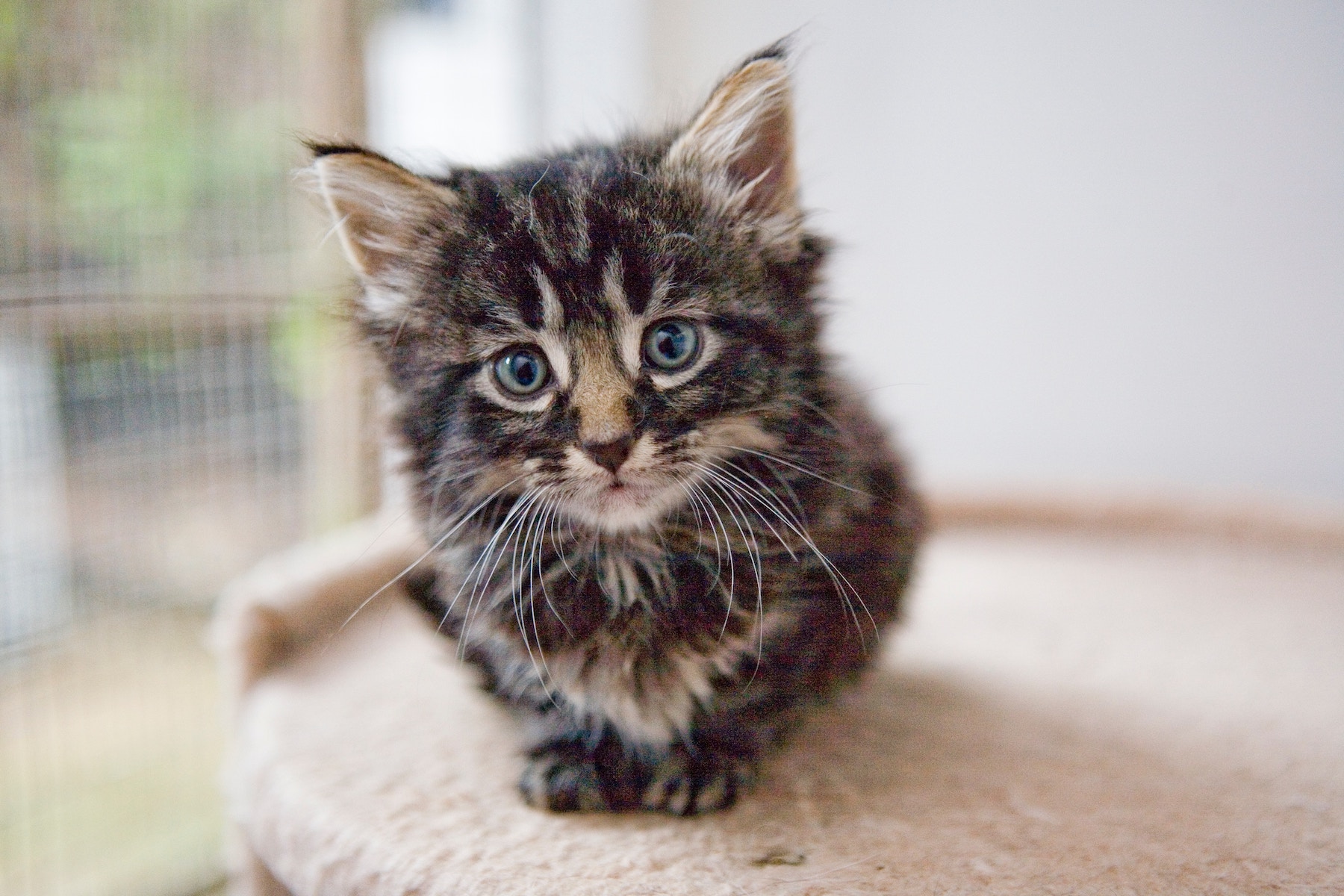
/>
Original file, unoptimized
<twig:Picasso:Image
    src="{{ asset('build/images/diana-parkhouse-1166627-unsplash.jpg') }}"
    width="600"
    height="400"
    :unoptimized="true"
    alt="Unoptimized"
    class="d-block w-100"
/>
What the component generates
A single Twig tag, and the HTML it renders: one <source> per modern format,
a JPEG fallback, a srcset capped to the source size (no upscaling), the placeholder,
lazy loading and the dimensions that prevent layout shifts. All signed, all cached.
<twig:Picasso:Image
    src="{{ asset('build/images/diana-parkhouse-1166627-unsplash.jpg') }}"
    width="600"
    height="400"
    sizes="(max-width: 768px) 100vw, 50vw"
    fit="cover"
    alt="A kitten"
    class="d-block w-100"
/><picture>
<source
type="image/avif"
srcset="/image/glide/filesystem/build/images/diana-parkhouse-1166627-unsplash.b1ccd4ef.jpg?w=16&h=11&fm=avif&q=75&fit=cover&s=2af65f6bb283a0128a3dab59fe71c88e 16w, /image/glide/filesystem/build/images/diana-parkhouse-1166627-unsplash.b1ccd4ef.jpg?w=32&h=21&fm=avif&q=75&fit=cover&s=2bf27a2d476b613c45b80c2864f6a297 32w, /image/glide/filesystem/build/images/diana-parkhouse-1166627-unsplash.b1ccd4ef.jpg?w=48&h=32&fm=avif&q=75&fit=cover&s=c4bf215eb0ec4cb8ff2f30e82dbdba97 48w, /image/glide/filesystem/build/images/diana-parkhouse-1166627-unsplash.b1ccd4ef.jpg?w=64&h=43&fm=avif&q=75&fit=cover&s=dc0ffcad90a64f41333bbbd9c26b21aa 64w, /image/glide/filesystem/build/images/diana-parkhouse-1166627-unsplash.b1ccd4ef.jpg?w=96&h=64&fm=avif&q=75&fit=cover&s=ebf56799d16695d2e0865f4219291d9d 96w, /image/glide/filesystem/build/images/diana-parkhouse-1166627-unsplash.b1ccd4ef.jpg?w=128&h=85&fm=avif&q=75&fit=cover&s=c1b07cfb87191f98068dcabb281ee09f 128w, /image/glide/filesystem/build/images/diana-parkhouse-1166627-unsplash.b1ccd4ef.jpg?w=256&h=171&fm=avif&q=75&fit=cover&s=0f4e947b97aba62bc47aaf309602e705 256w, /image/glide/filesystem/build/images/diana-parkhouse-1166627-unsplash.b1ccd4ef.jpg?w=384&h=256&fm=avif&q=75&fit=cover&s=eff72f747f0c792d39f8755960eeb206 384w, /image/glide/filesystem/build/images/diana-parkhouse-1166627-unsplash.b1ccd4ef.jpg?w=640&h=427&fm=avif&q=75&fit=cover&s=76669c4235163a113017581f945332f0 640w, /image/glide/filesystem/build/images/diana-parkhouse-1166627-unsplash.b1ccd4ef.jpg?w=750&h=500&fm=avif&q=75&fit=cover&s=b761c559dfe13a8b7203bdac60152872 750w, /image/glide/filesystem/build/images/diana-parkhouse-1166627-unsplash.b1ccd4ef.jpg?w=828&h=552&fm=avif&q=75&fit=cover&s=b094def04dcbce251f5e2c4207cefcf8 828w, /image/glide/filesystem/build/images/diana-parkhouse-1166627-unsplash.b1ccd4ef.jpg?w=1080&h=720&fm=avif&q=75&fit=cover&s=402fc73262edcb71ec76087eaa053098 1080w, /image/glide/filesystem/build/images/diana-parkhouse-1166627-unsplash.b1ccd4ef.jpg?w=1200&h=800&fm=avif&q=75&fit=cover&s=12139227d5763f96b3dbf2ad0dc2df9c 1200w, /image/glide/filesystem/build/images/diana-parkhouse-1166627-unsplash.b1ccd4ef.jpg?w=1800&h=1200&fm=avif&q=75&fit=cover&s=df77594337720960470a6ccd29ba74ed 1800w"
sizes="(max-width: 768px) 100vw, 50vw" />
<source
type="image/webp"
srcset="/image/glide/filesystem/build/images/diana-parkhouse-1166627-unsplash.b1ccd4ef.jpg?w=16&h=11&fm=webp&q=75&fit=cover&s=d98d13b5d782f9fe3a6771319fc92d26 16w, /image/glide/filesystem/build/images/diana-parkhouse-1166627-unsplash.b1ccd4ef.jpg?w=32&h=21&fm=webp&q=75&fit=cover&s=6759cc63028ca6143bd4922915d82ee4 32w, /image/glide/filesystem/build/images/diana-parkhouse-1166627-unsplash.b1ccd4ef.jpg?w=48&h=32&fm=webp&q=75&fit=cover&s=fe46a20a99e1fbf80d4010cd5ec91c44 48w, /image/glide/filesystem/build/images/diana-parkhouse-1166627-unsplash.b1ccd4ef.jpg?w=64&h=43&fm=webp&q=75&fit=cover&s=223e64bc88a939dc11d1d815229c047a 64w, /image/glide/filesystem/build/images/diana-parkhouse-1166627-unsplash.b1ccd4ef.jpg?w=96&h=64&fm=webp&q=75&fit=cover&s=156e76f27282b70f20d74f52c81a39bf 96w, /image/glide/filesystem/build/images/diana-parkhouse-1166627-unsplash.b1ccd4ef.jpg?w=128&h=85&fm=webp&q=75&fit=cover&s=d2598b8803c7fe0c3d1011a2a10522b9 128w, /image/glide/filesystem/build/images/diana-parkhouse-1166627-unsplash.b1ccd4ef.jpg?w=256&h=171&fm=webp&q=75&fit=cover&s=b9837b1aa53c35c4ef9a5e795cbe1d10 256w, /image/glide/filesystem/build/images/diana-parkhouse-1166627-unsplash.b1ccd4ef.jpg?w=384&h=256&fm=webp&q=75&fit=cover&s=a4f0a880782144762fde6cd1a52ad976 384w, /image/glide/filesystem/build/images/diana-parkhouse-1166627-unsplash.b1ccd4ef.jpg?w=640&h=427&fm=webp&q=75&fit=cover&s=4e85ee574e418c9e452c95d78228a23b 640w, /image/glide/filesystem/build/images/diana-parkhouse-1166627-unsplash.b1ccd4ef.jpg?w=750&h=500&fm=webp&q=75&fit=cover&s=f3012dd1b19d332822c985a1e98dbcee 750w, /image/glide/filesystem/build/images/diana-parkhouse-1166627-unsplash.b1ccd4ef.jpg?w=828&h=552&fm=webp&q=75&fit=cover&s=46799574985f719df264e041bf0831ae 828w, /image/glide/filesystem/build/images/diana-parkhouse-1166627-unsplash.b1ccd4ef.jpg?w=1080&h=720&fm=webp&q=75&fit=cover&s=91d9bb7e69e344d3ededb8859f67a928 1080w, /image/glide/filesystem/build/images/diana-parkhouse-1166627-unsplash.b1ccd4ef.jpg?w=1200&h=800&fm=webp&q=75&fit=cover&s=e97aeede0e7b71ddbc3ecd09caaa0ba9 1200w, /image/glide/filesystem/build/images/diana-parkhouse-1166627-unsplash.b1ccd4ef.jpg?w=1800&h=1200&fm=webp&q=75&fit=cover&s=58a6def4ca06ba770d5d87190a2e2976 1800w"
sizes="(max-width: 768px) 100vw, 50vw" />
<img
src="/image/glide/filesystem/build/images/diana-parkhouse-1166627-unsplash.b1ccd4ef.jpg?w=600&h=400&fm=jpg&q=75&fit=cover&s=40558a91d30f955a4f1f76480e3faab0"
srcset="/image/glide/filesystem/build/images/diana-parkhouse-1166627-unsplash.b1ccd4ef.jpg?w=16&h=11&fm=jpg&q=75&fit=cover&s=6793031633408bfd1df09655c987de97 16w, /image/glide/filesystem/build/images/diana-parkhouse-1166627-unsplash.b1ccd4ef.jpg?w=32&h=21&fm=jpg&q=75&fit=cover&s=a4b97390612fbb7d620be5ef42278ac8 32w, /image/glide/filesystem/build/images/diana-parkhouse-1166627-unsplash.b1ccd4ef.jpg?w=48&h=32&fm=jpg&q=75&fit=cover&s=04a1b262f392aaff8b759b1db3b4295a 48w, /image/glide/filesystem/build/images/diana-parkhouse-1166627-unsplash.b1ccd4ef.jpg?w=64&h=43&fm=jpg&q=75&fit=cover&s=e101c030b70ba7538e8e9455f5b544b3 64w, /image/glide/filesystem/build/images/diana-parkhouse-1166627-unsplash.b1ccd4ef.jpg?w=96&h=64&fm=jpg&q=75&fit=cover&s=3b142d3c8236224550e2477978562bd7 96w, /image/glide/filesystem/build/images/diana-parkhouse-1166627-unsplash.b1ccd4ef.jpg?w=128&h=85&fm=jpg&q=75&fit=cover&s=c07bc245bd95a143d34728c7edd6a8e7 128w, /image/glide/filesystem/build/images/diana-parkhouse-1166627-unsplash.b1ccd4ef.jpg?w=256&h=171&fm=jpg&q=75&fit=cover&s=bac772b6620367934aada5c2de79257d 256w, /image/glide/filesystem/build/images/diana-parkhouse-1166627-unsplash.b1ccd4ef.jpg?w=384&h=256&fm=jpg&q=75&fit=cover&s=972ed287541ac0704ef133cfef1e443e 384w, /image/glide/filesystem/build/images/diana-parkhouse-1166627-unsplash.b1ccd4ef.jpg?w=640&h=427&fm=jpg&q=75&fit=cover&s=dcecc8a5fc4d036f0afe3b3948fb3e03 640w, /image/glide/filesystem/build/images/diana-parkhouse-1166627-unsplash.b1ccd4ef.jpg?w=750&h=500&fm=jpg&q=75&fit=cover&s=3cf0645d25cebb5f6c5baa73b8f09cca 750w, /image/glide/filesystem/build/images/diana-parkhouse-1166627-unsplash.b1ccd4ef.jpg?w=828&h=552&fm=jpg&q=75&fit=cover&s=e5ac6f6e5c088b9c6c36b59b5a4bcff2 828w, /image/glide/filesystem/build/images/diana-parkhouse-1166627-unsplash.b1ccd4ef.jpg?w=1080&h=720&fm=jpg&q=75&fit=cover&s=5a1f40ff3f9c5a1df8329e38790faca7 1080w, /image/glide/filesystem/build/images/diana-parkhouse-1166627-unsplash.b1ccd4ef.jpg?w=1200&h=800&fm=jpg&q=75&fit=cover&s=f47b8a0a0ef6e20b608cb34c371fcb0e 1200w, /image/glide/filesystem/build/images/diana-parkhouse-1166627-unsplash.b1ccd4ef.jpg?w=1800&h=1200&fm=jpg&q=75&fit=cover&s=23f98048793d1e1aa8ad3be95b2938d9 1800w"
sizes="(max-width: 768px) 100vw, 50vw" width="600" height="400" loading="lazy"
style="background-size:cover;background-position:center;background-repeat:no-repeat;background-image:url(/image/glide/filesystem/build/images/diana-parkhouse-1166627-unsplash.b1ccd4ef.jpg?w=10&h=7&fm=jpg&q=30&fit=crop&blur=5&s=5808b7c407d29a17e0fc3c1df5cfccdb);" onload="this.style.backgroundImage=''" alt="A kitten" class="d-block w-100" />
</picture>